Encode or decode URLs and URI components. Properly handles the difference between full URIs and query string components.
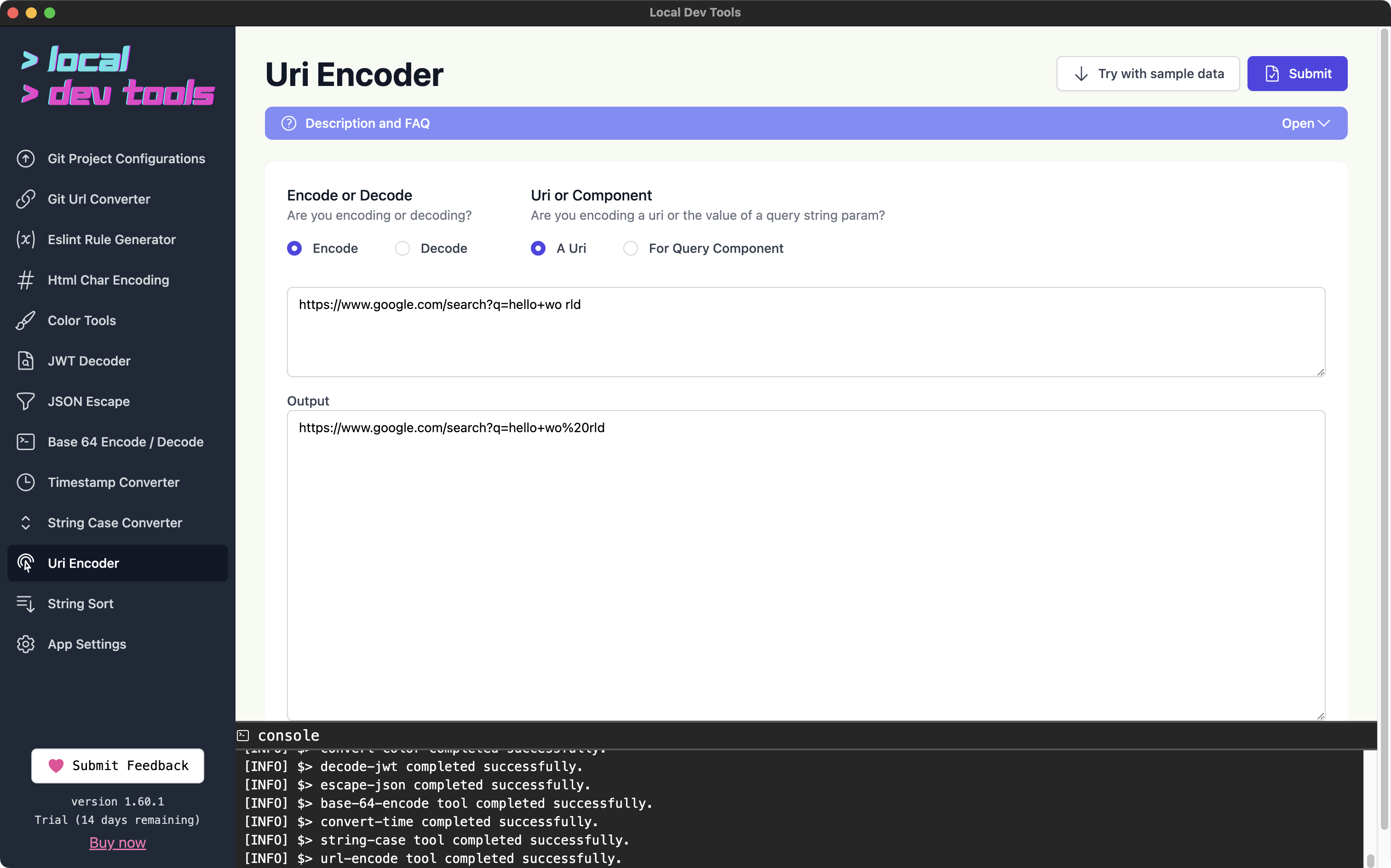
Features
- Encode/Decode modes - Convert in either direction
- Full URI mode - Preserves URI structure (
://,/,?,#) - Query Component mode - Encodes all special characters including
/and?
How to Use
- Paste your URL or text in the input field
- Select "Encode" or "Decode"
- Select "A Uri" for full URLs or "For Query Component" for values
- Click "Submit"
When to Use Each Mode
Full URI Mode
Use when encoding/decoding complete URLs. This preserves the URL structure:
- Input:
https://example.com/path?query=hello world - Output:
https://example.com/path?query=hello%20world
Query Component Mode
Use when encoding values for query parameters. This encodes everything:
- Input:
hello/world?foo=bar - Output:
hello%2Fworld%3Ffoo%3Dbar
FAQs
What's the difference between encodeURI and encodeURIComponent?
encodeURI is for full URLs and doesn't encode characters that have special meaning in URLs (/, ?, #, &, =). encodeURIComponent encodes everything except alphanumeric characters, making it safe for query parameter values.
Why do I see %20 vs + for spaces?
%20 is the standard URL encoding for spaces. The + character is only valid for spaces in application/x-www-form-urlencoded format (HTML forms). For URLs, always use %20.