Convert git URLs between HTTP and SSH formats while being aware of your local SSH aliases. Perfect for developers who use custom SSH configurations for different git hosts.
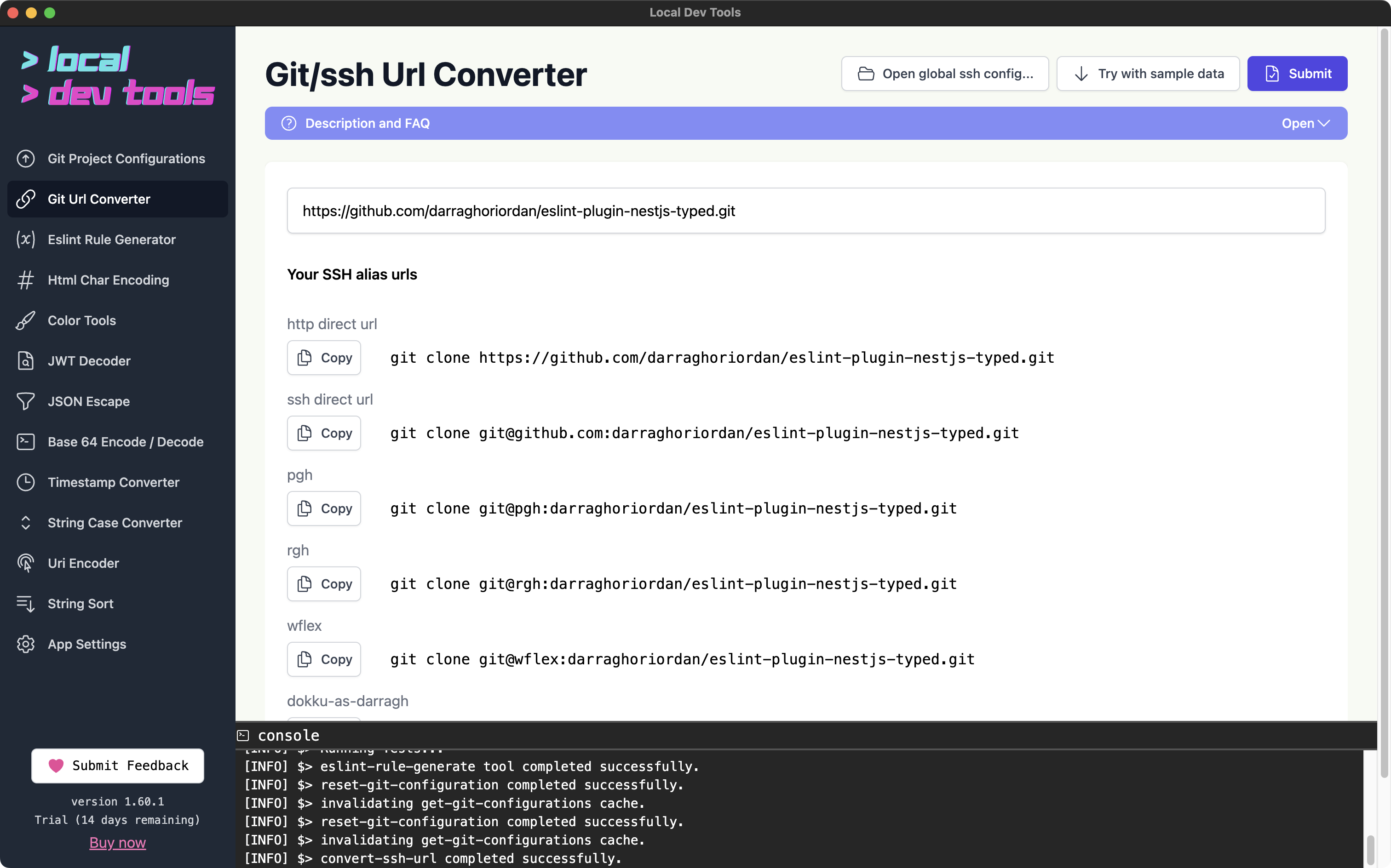
Features
- HTTP to SSH conversion - Convert HTTPS clone URLs to SSH format
- SSH to HTTP conversion - Convert SSH URLs back to HTTPS
- SSH alias awareness - Reads your
~/.ssh/configto show alias-based URLs - One-click copy - Copy any converted URL instantly
How to Use
- Paste a git URL or
git clonecommand - Click "Submit"
- Copy the URL format you need
Output
The tool shows multiple URL formats:
- HTTP Direct URL - Standard HTTPS URL
- SSH Direct URL - Standard SSH URL (git@host:...)
- SSH Alias URLs - URLs using your configured SSH aliases
What Are SSH Aliases?
SSH aliases let you use custom hostnames in your SSH config. For example, you might have github-work aliased to github.com with a specific SSH key. This tool detects these aliases and shows you the corresponding clone URLs.
Click "Open ssh config..." to view and edit your SSH configuration.